Open the minimap

Minimap · in Steam's overlay

This small map stays on top of DayZ while you play.

Pin MapZed's minimap over DayZ in Steam's overlay and your squad stays in the corner while you play: where everyone said they are, which way the ones off the edge are, and their pings as they come in.

Open the minimap

It’s free during the open beta, and you sign in with Discord.

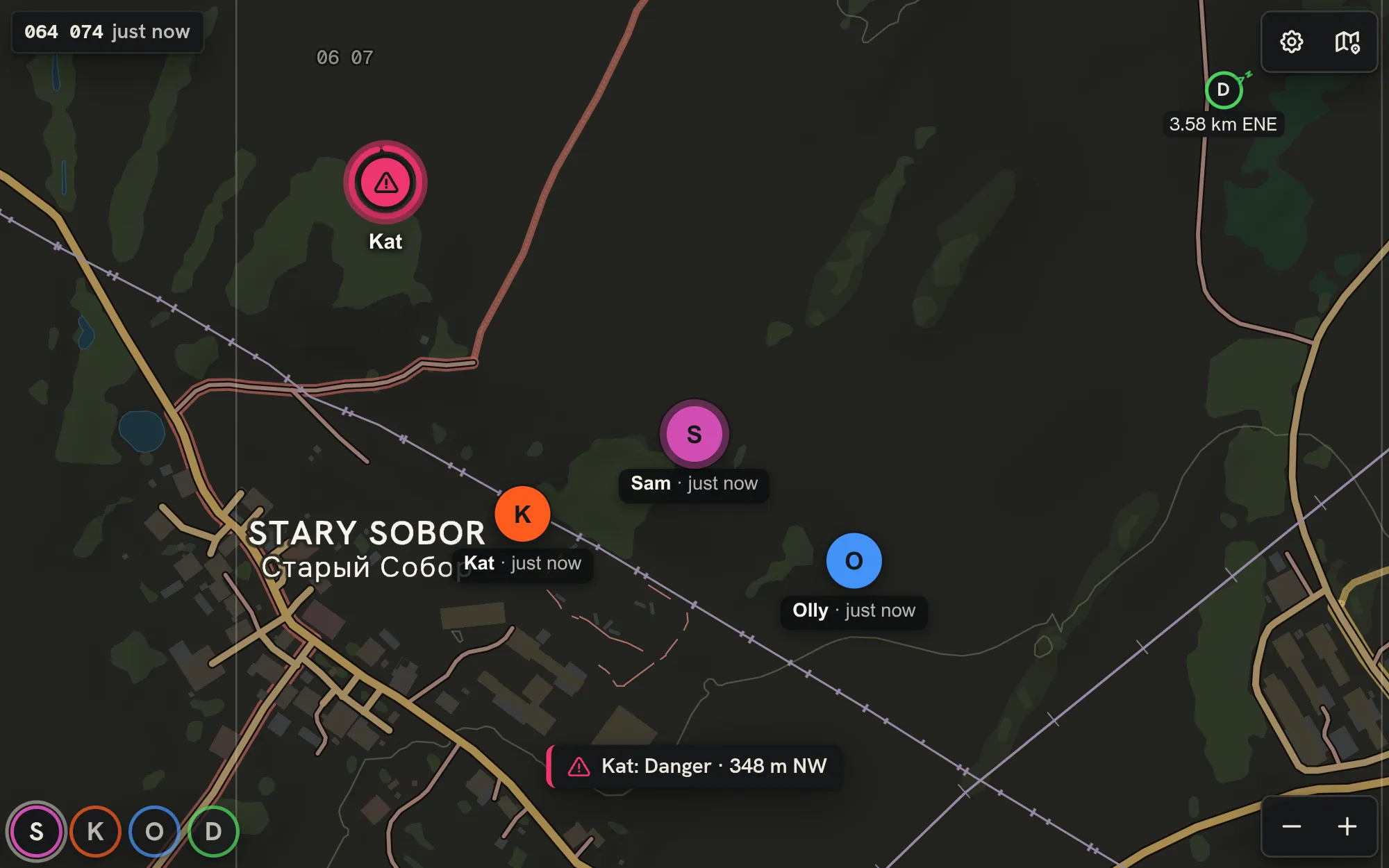
MapZed's minimap of Chernarus by Stary Sobor, on the dark map: Sam, Kat and Olly on it, an arrow at the edge pointing to a fourth squadmate 3.58 km away, Kat's Danger ping along the bottom, and the minimap's buttons.
296 × 170
pixels, the smallest window Steam lets you pin, and the squad still fits
20 s
that a squadmate's ping stays along the bottom, with who sent it and how far away
5
pings a right-click away: Look here, Danger, Go here, Loot and Need help

Pin it in three steps.

Steam's overlay has to be on for this: in Steam, it's under Settings, In Game. Then, with DayZ running:

  1. Press Shift+Tab, open Steam's Web Browser and go to mapzed.app/mini. Sign in with Discord the first time.

  2. Make the window small, drag it where you want it, and click the pin at its top right: Pin window to game.

  3. Press Shift+Tab to get back to the game, and the minimap stays on top until you press it again for its buttons.
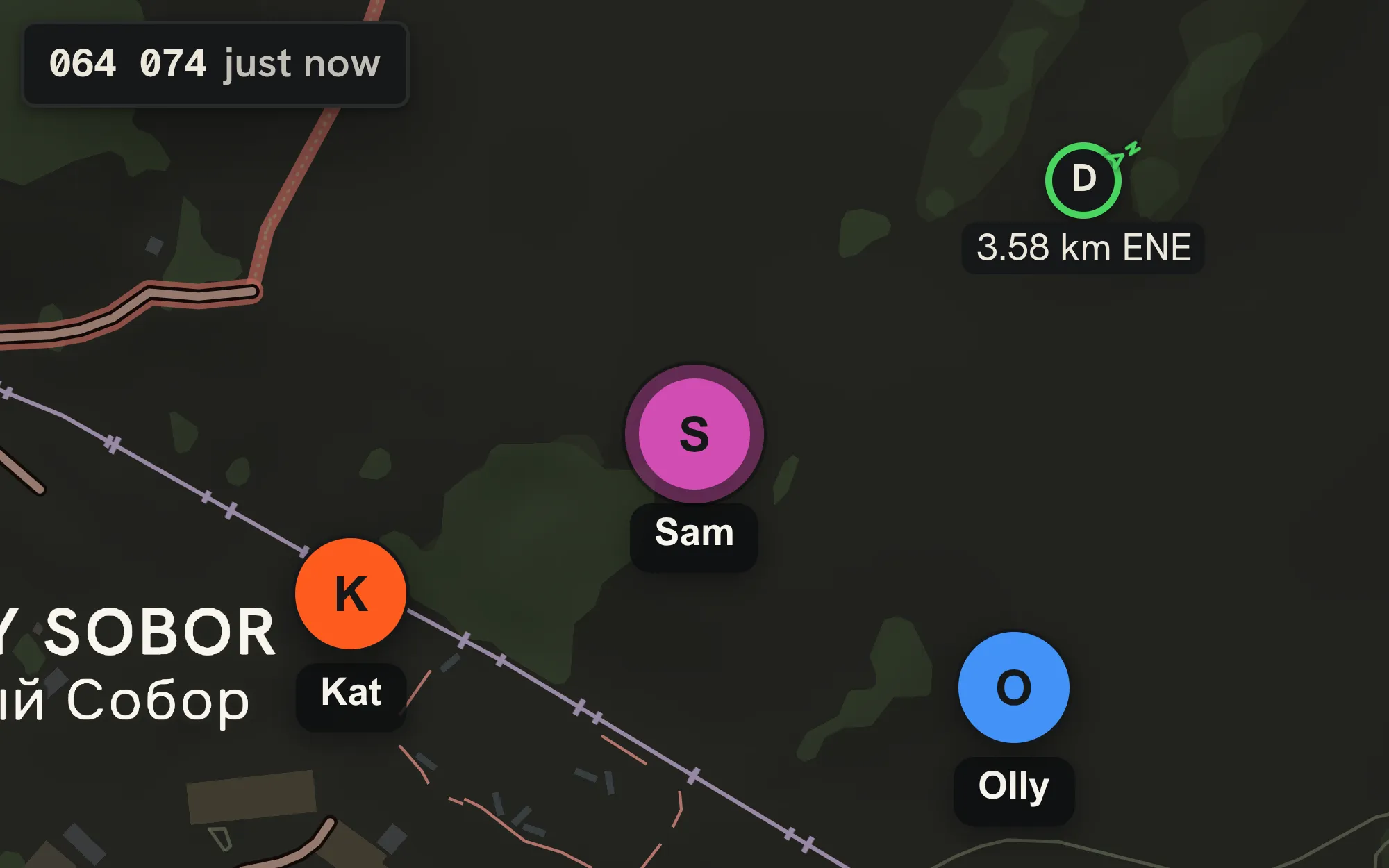
The minimap pinned in a small window, with no buttons: Sam in the middle with Kat and Olly close by, and an arrow at the edge pointing to a fourth squadmate, 3.58 km away.

“Which way are you?”

Everyone who's set where they are shows on the minimap, and anyone off the edge gets an arrow at the side pointing their way, with how far. The corner says whose spot it's on and how long ago it was set.

DayZ has no GPS, so you set your own: Shift+Tab, right-click where you are, I'm here. The map keeps you in the middle, or click a squadmate's face along the bottom to stay on them instead.

“Danger, by the barn.”

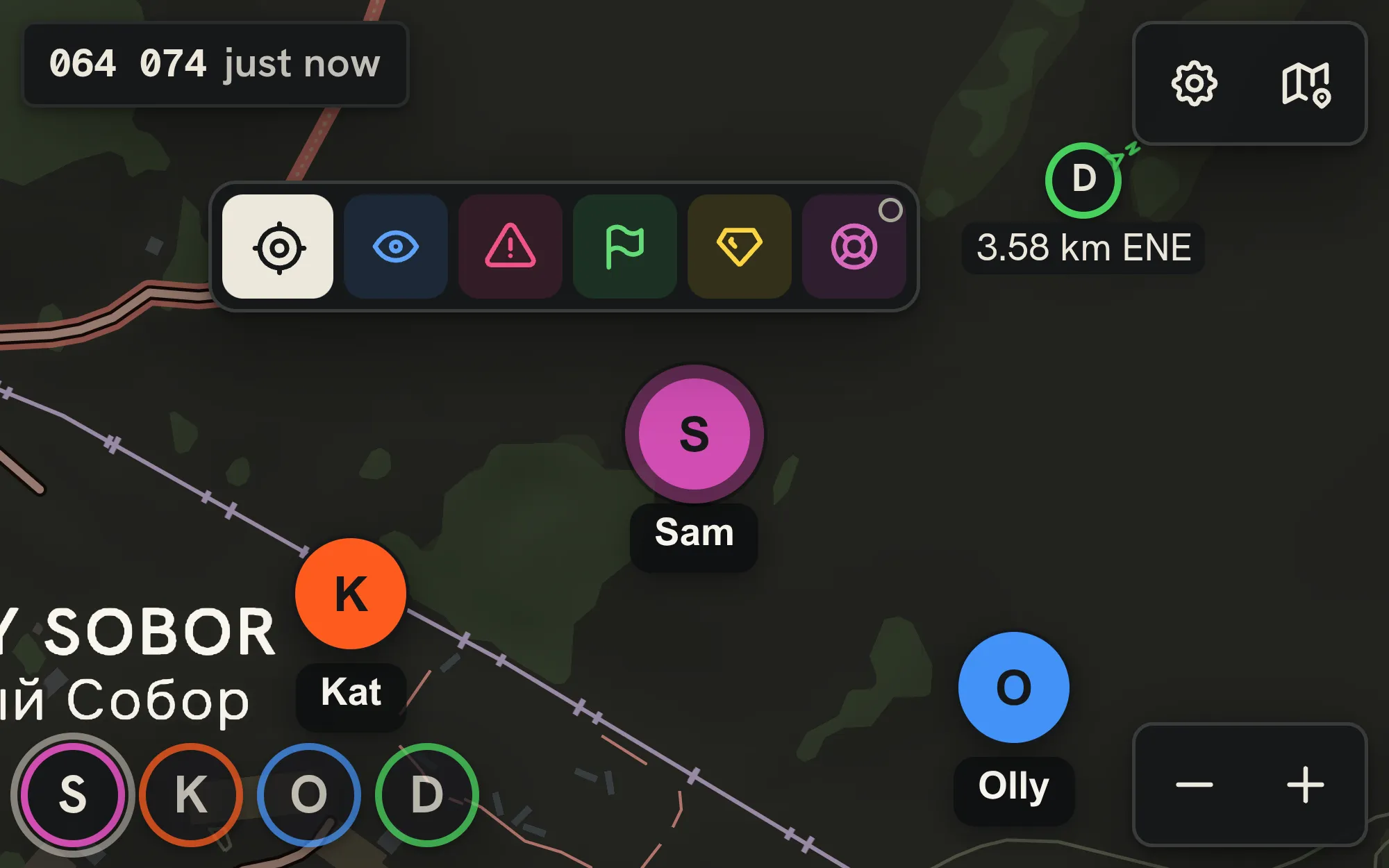
Right-click anywhere for the five pings, or press 1 to 5 once the menu's open. Your squad's pings show along the bottom for 20 seconds, with who sent them and how far away, pinned or not. Click one to see where it is.

The minimap's right-click menu in a small window: I'm here, then the five pings in their colours.

Night in DayZ is properly dark.

So the minimap starts on the dark map, and doesn't glow in the corner. Its settings button switches it to light or aerial, and turns the grid, town names, landmarks and your squad's marks on or off, without touching the full map.

mapzed.app/mini works in any browser too: a window on a second screen, or a phone beside you. On a phone, press and hold your spot instead of right-clicking.